Skip to content

iPhone · Android · web

Bill pay organizer app: how to never pay a bill late

A bill pay organizer keeps every bill in due-date order, reminds you before each one and records what you've paid. Bill Organizer does that free on iPhone and Android, with no bank login, and the same list works on your computer.

On a computer? Use the free online bill tracker, or start from the Bill Organizer home page.

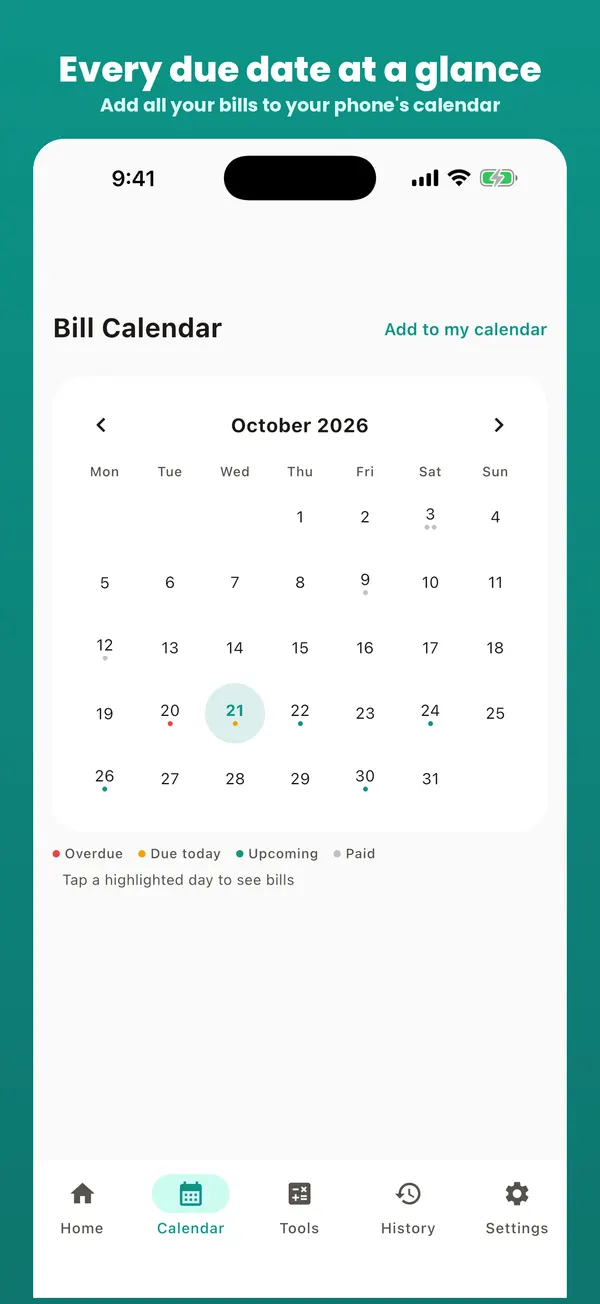
Bill Organizer bill calendar showing due dates across the month

How a bill pay organizer app works: the pay cycle

Every bill goes through the same five steps. A good bill pay organizer handles four of them for you; your only job is paying.

  1. Listed: the bill is in the app with its amount, due date, category and repeat (monthly, weekly or yearly).
  2. Reminded: a notification arrives at the time you chose: the day of, 1, 3 or 7 days before.
  3. Paid: you pay through your bank, the biller's site or autopay. A saved payment link on the bill gets you there in one tap.
  4. Marked paid: one tap records the date, and your "left to pay this month" total drops.
  5. Rescheduled: for a repeating bill, the next one appears with the right due date. Nothing to re-type next month.

Pick the right reminder for each bill

One reminder setting for everything is the most common reason people still pay late. Match the lead time to how the bill gets paid:

How you pay itRemind meWhy
Online by card or bank, by hand2–3 days beforeTime to move money if the account is short
Bank transfer or bill pay3–7 days beforeTransfers can take 1–3 business days to arrive
Mailed check7 days beforePostage and processing time
AutopayOn the dayA check that it went through and the amount is right
Yearly bills (insurance, property tax)7 days before + a savings planBig amounts need a few months of setting aside

In the app you choose this per bill. Bill Organizer Pro adds up to three reminders on the same bill (for example, 7 days before and on the day), and the free weekly digest lists everything due in the next seven days.

Line bills up with payday

Reminders stop late payments; matching bills to paychecks stops the "rent and the car payment both landed before payday" squeeze. Add your paychecks in the app's income screen, or use the paycheck budget calculator to see what each check has to cover. If most bills fall in one half of the month, the bill due date planner suggests which due dates to ask your billers to move.

Free, or Pro if you want more

Everything above is free: bills, reminders, the bill calendar, budgets, the money calculators and JSON backup. Bill Organizer Pro is optional. It removes ads and adds all themes, full backup & restore, CSV export, up to 3 reminders per bill and spending insights. Try it free for 7 days, then it's $2.99 a month or $14.99 a year, or $24.99 once for lifetime Pro (US prices; your store shows your local price). You can cancel the trial in your App Store or Google Play subscriptions before it ends and pay nothing.

What it deliberately doesn't do

  • No bank login. You type each bill once, so no banking credentials leave your phone.
  • No account. Bills are stored on your device. Back up to a file whenever you like.
  • No paying on your behalf. You stay in control of when and how money moves.
Frequently asked questions

What is a bill pay organizer app?

An app that keeps every bill you pay with its amount and due date, reminds you before each one, and records when you've paid it. Unlike your bank's bill pay, it doesn't move money: you pay however you like, then tap Paid.

Does Bill Organizer pay my bills?

No. It never connects to your bank. You pay each bill the usual way (your bank, the biller's website or autopay). You can save each biller's payment link on the bill, so paying is one tap away when the reminder arrives.

Is the bill pay organizer app free?

Yes. The app is free with ads, and everything free stays free. Optional Bill Organizer Pro removes ads and adds all themes, the "Due this week" home-screen widget, full backup & restore, CSV export, up to 3 reminders per bill, spending insights: try it free for 7 days, then $2.99 a month or $14.99 a year, or pay $24.99 once for lifetime Pro (US prices).

How far ahead should a bill reminder be?

For bills you pay by hand online, 2 to 3 days is enough. For bills paid by bank transfer or mailed check, use 7 days. For autopay bills, a reminder on the day itself is a useful check that the payment went through. Bill Organizer lets you choose per bill.

Can I use it on my computer as well?

Yes. The free online bill tracker on this site uses the same bill format. Set up your bills on the computer and use "Send my bills to the app" to move them to your phone, or back them up from the app and open the file on the computer.

What is the best free bill pay organizer app?

Look for four things: a reminder you can set per bill, one-tap Paid that schedules the next one, a list that shows every bill whichever account pays it, and no bank login required. Bill Organizer does all four free on iPhone and Android, and on Android 1.19 it can also read a bank statement (CSV) and turn the recurring payments into bills, so setup takes minutes.

What's the difference between my bank's bill pay and a bill pay organizer?

Bank bill pay sends the money but only knows about the payees you set up there, and it won't remind you about bills on cards, autopay or other accounts. A bill pay organizer shows every bill in one list, whichever account pays it.

Related: bill organizer program for PC & Mac · app features & screenshots · bill calendar · Updated