iPhone · iPad · Android
Bill tracker & bill reminder app for iPhone and Android
Want paper too? Print a printable bill tracker or a month on the bill calendar, free.

On a computer? Scan with your phone's camera to get the app.
What's in the bill reminder app
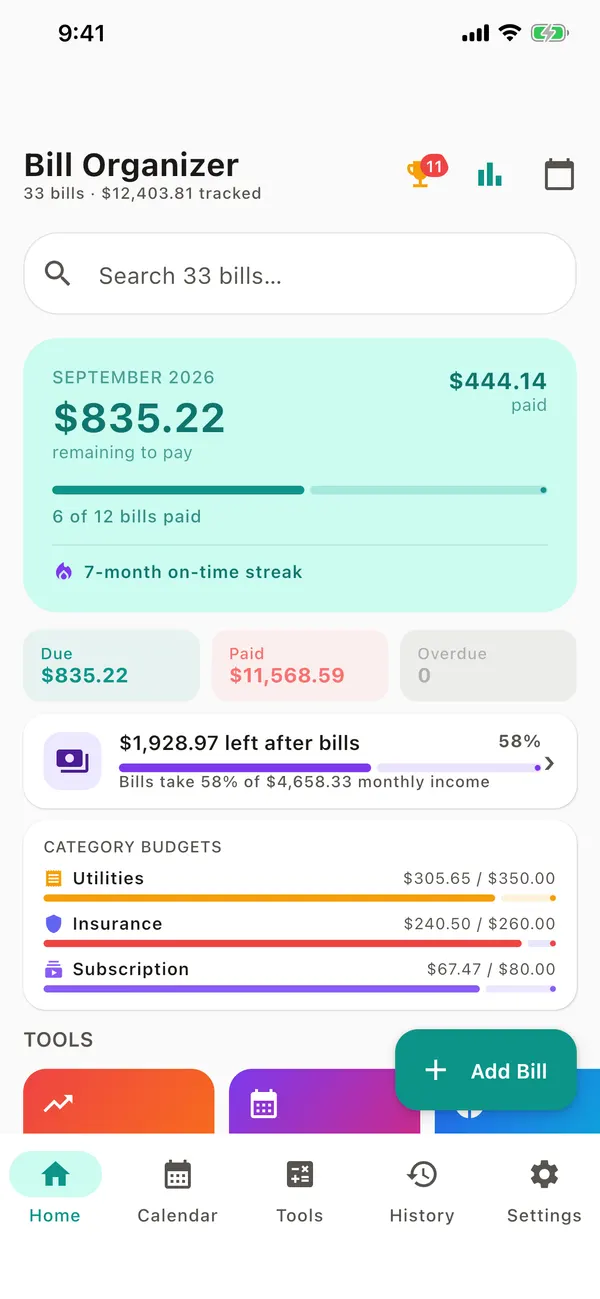
- Reminders the day of, 1, 3 or 7 days before, plus a weekly digest
- 38 ready-made bills to add in a tap (rent, electricity, Netflix, car insurance…)
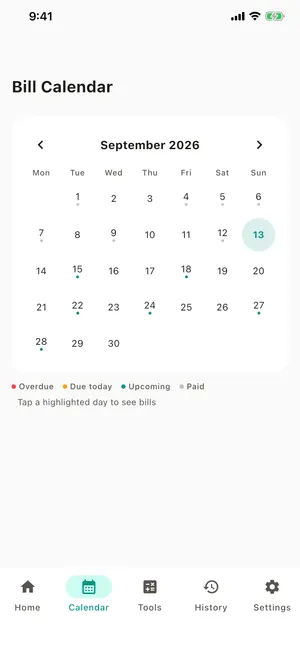
- Overdue, due today, due soon and upcoming, colour-coded
- Bill calendar, payment history and an on-time streak
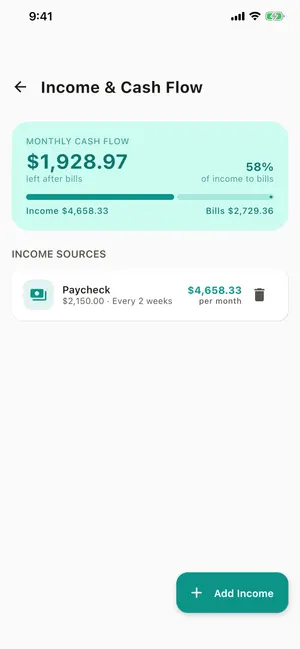
- Income & cash flow, monthly and category budgets
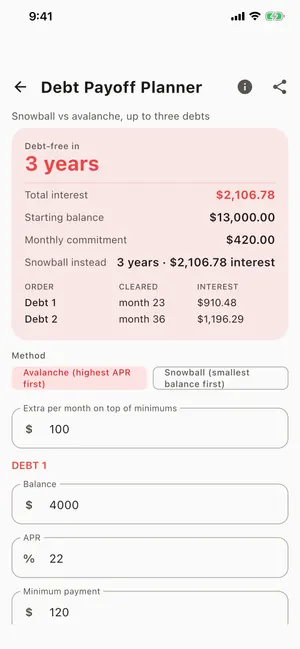
- 57 money calculators, and any result becomes a bill
- Scan a paper bill with the camera: the app reads the payee, amount and due date for you to check
- Export CSV or PDF; back up and restore with a JSON file
- App lock with Face ID, Touch ID or fingerprint
- Light and dark themes, six accent colours, achievements
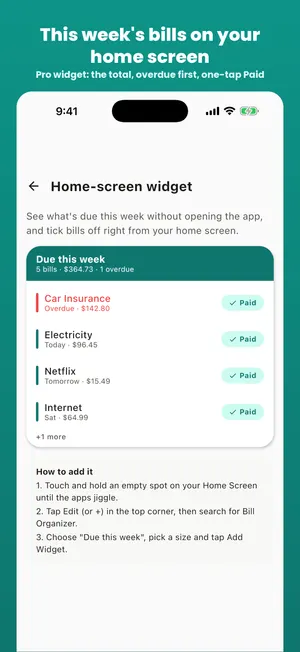
- Home-screen widgets: upcoming bills (free on Android) and "Due this week" with one-tap Paid (Pro, iPhone & Android)
- Free with ads. Optional Pro: 7-day free trial, then $2.99/month or $14.99/year, or $24.99 once for lifetime
New in version 1.19
Version 1.19.0 is live on Google Play. The iPhone app gets these with a later update.
- Import a bank statement (CSV) and turn its recurring payments into bills (on Android)
- Every yearly subscription in one place, with the ones worth cancelling (on Android)
- A Home screen with your bills first and sections you can collapse (on Android)
- A tip when your phone delays reminders, so they arrive on time (on Android)
- Material You colours on Android 12 and later
New in version 1.18
Version 1.19.0 is live on Google Play. The App Store has version 1.16.0; the lines marked "on Android" reach iPhone with its 1.18 update.
- Reminders with Mark paid and Snooze 1 day buttons right on the notification (on Android)
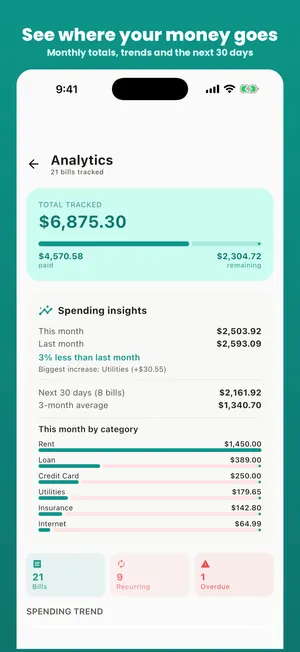
- Insights with a forecast of the months ahead, so big bills are never a surprise (3 months free, 12 with Pro) (on Android)
- Autopay bills that mark themselves paid on the due date (on Android)
- A subscription library: add popular services and billers in one tap (on Android)
- A daily backup kept on your phone, restored from Settings in one tap (on Android)
- The app in 16 languages, including Spanish, German, French, Japanese and Korean (on Android)
Bill tracker app screenshots
Frequently asked questions
Is Bill Organizer free?
Yes. The app is free with ads, and everything free stays free. Optional Bill Organizer Pro removes ads and adds all themes, the "Due this week" home-screen widget, full backup & restore, CSV export, up to 3 reminders per bill, spending insights: try it free for 7 days, then $2.99 a month or $14.99 a year, or pay $24.99 once for lifetime Pro (US prices). If you bought the earlier one-time "Remove ads" upgrade, you already have lifetime Pro.
What does Bill Organizer Pro add?
No ads, all themes, the "Due this week" home-screen widget with one-tap Paid, full backup & restore, CSV export, up to 3 reminders per bill and spending insights. Bills, due dates, reminders, the calendar, budgets, the calculators and the basic JSON backup stay free. Cancel the trial or subscription any time in your App Store or Google Play subscriptions.
Does the app need an account or my bank login?
No. There's no sign-up and no bank connection. Bills are stored on your phone.
When does the app remind me?
At the time you choose, on the day of, 1 day, 3 days or a week before each bill. You choose per bill. There's also a weekly digest of what's due.
Can I back up my bills?
Yes. Export to CSV or PDF, or back up to a JSON file and restore it on a new phone, or on this website's online tracker. Since version 1.18 the Android app also keeps a daily backup on your phone that you can restore from Settings.
On a computer? Use the free online bill tracker. It uses the same backup file as the app. New to bill apps? See how a bill pay organizer app works.