
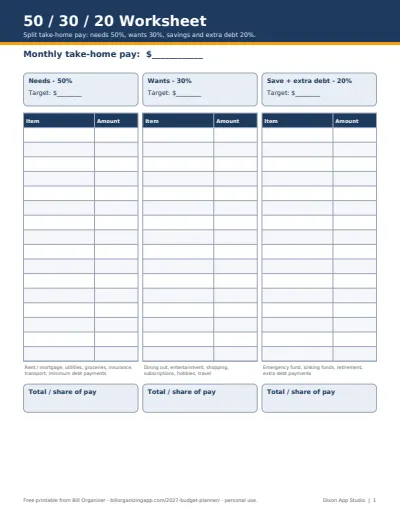
What counts as a need, a want and savings
Use take-home pay (after tax), not your salary. Then sort every line:
- Needs (50%): housing, utilities, groceries, insurance, transport to work, childcare, and minimum payments on debts.
- Wants (30%): dining out, entertainment, streaming, shopping, travel, hobbies, upgrades beyond the basics.
- Save (20%): emergency fund, retirement, sinking funds for yearly bills, and any debt payment above the minimum.
When 50/30/20 doesn't fit
In high-rent cities, needs often take 60% or more. That's common, not a failure: hold wants to about 20% so savings can still reach 20%, and treat 50/30/20 as the direction to move in. With high-interest debt, many people run 50/20/30 for a while, sending the extra to debt; the debt payoff planner shows how much sooner that makes you debt-free.
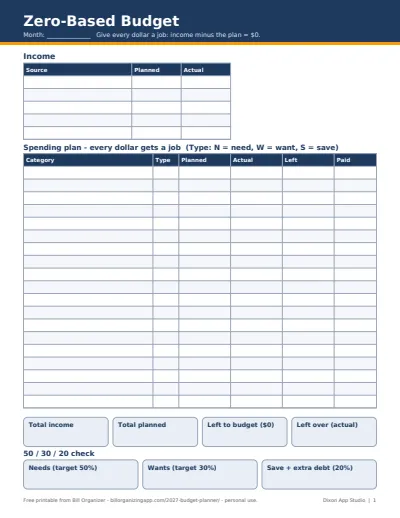
Want the same check without a spreadsheet? The 50/30/20 budget calculator and 70/20/10 budget calculator work in the browser. For a category-by-category plan, use the zero-based budget template. If you'd rather have it all connected, the paid 2027 Budget Planner Spreadsheet Pack (below) links twelve dated months, sinking funds, debt payoff and a bill calendar into one workbook; the free files here stay free either way.
Plan the new year
- How to make a budget: seven steps from take-home pay to a finished plan, with example numbers
- New year money reset checklist: 20 steps to review 2026 and set up 2027
- January bills to expect: renewals, property tax, holiday card balances and estimated tax
More of the 2027 budget pack
- 2027 Budget Planner Template (Free Excel & Google Sheets): all four free templates and how to set up your 2027 budget in an hour
- Zero-Based Budget Template (Free Excel, Google Sheets & PDF): give every dollar a job until income minus the plan is $0
- Sinking Funds Tracker (Free Excel, Google Sheets & PDF): turn yearly costs into a small monthly amount and watch each fund fill
- Debt Payoff Planner (Free Snowball & Avalanche Tracker): snowball or avalanche order and a monthly balance log for up to 10 debts