
How zero-based budgeting works
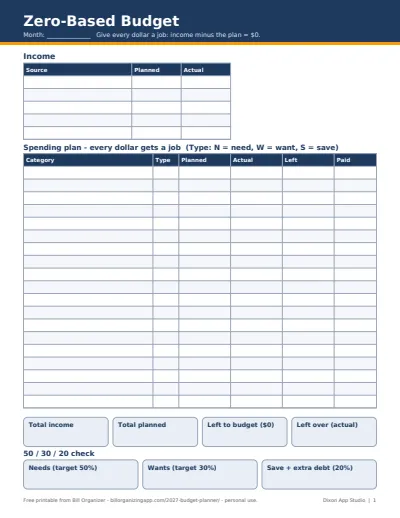
Income minus every planned dollar equals zero. That doesn't mean spending everything: savings, sinking funds and extra debt payments are categories too, so the money still has a job. What it rules out is leftover money with no plan, which tends to disappear.
Plan before the month starts, then log actual amounts as bills and purchases happen. The 'Left' column turns negative when a category runs over; move money from another category so the plan still adds up to zero.
- Start with income: take-home pay only, after tax and payroll deductions.
- Fixed bills next: rent, utilities, insurance, minimum debt payments.
- Then savings: emergency fund, sinking funds, retirement, extra debt payments.
- Wants last: dining out, entertainment, shopping, hobbies. This is where the plan usually gets trimmed to reach $0.
Tips that make zero-based budgets stick
Budget the month you'll actually have: months with a third paycheck, a yearly bill or a holiday need their own plan (the 3-paycheck months calculator shows which 2027 months have one). Keep a small 'buffer' category for the unexpected rather than starting the month at a precise zero you can't hold.
Prefer an online version? The zero-based budget calculator does the same math in your browser, and the monthly budget calculator is a lighter check. If you'd rather have it all connected, the paid 2027 Budget Planner Spreadsheet Pack (below) links twelve dated months, sinking funds, debt payoff and a bill calendar into one workbook; the free files here stay free either way.
Plan the new year
- How to make a budget: seven steps from take-home pay to a finished plan, with example numbers
- New year money reset checklist: 20 steps to review 2026 and set up 2027
- January bills to expect: renewals, property tax, holiday card balances and estimated tax
More of the 2027 budget pack
- 2027 Budget Planner Template (Free Excel & Google Sheets): all four free templates and how to set up your 2027 budget in an hour
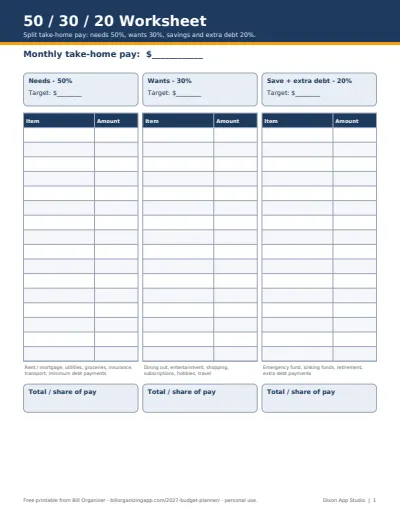
- 50/30/20 Budget Template (Free Excel, Google Sheets & PDF): needs 50%, wants 30%, savings 20%, in dollars and against your real plan
- Sinking Funds Tracker (Free Excel, Google Sheets & PDF): turn yearly costs into a small monthly amount and watch each fund fill
- Debt Payoff Planner (Free Snowball & Avalanche Tracker): snowball or avalanche order and a monthly balance log for up to 10 debts